-
Videos: Other
Forum: General
Last Post: greggold
18-04-2024, 12:40 PM
» Replies: 213
» Views: 146,271 -
climate update
Forum: General
Last Post: greggold
10-04-2024, 12:12 PM
» Replies: 0
» Views: 270 -
Videos: RC Flying
Forum: General
Last Post: secant0give
05-04-2024, 07:07 PM
» Replies: 760
» Views: 614,746 -
VTOL
Forum: General
Last Post: secant0give
02-04-2024, 04:36 PM
» Replies: 1
» Views: 101 -
Comparison of Radio Brand...
Forum: General
Last Post: srl
19-03-2024, 04:53 PM
» Replies: 6
» Views: 325 -
Updating firmware on Mate...
Forum: General
Last Post: caffeine
11-02-2024, 07:18 AM
» Replies: 4
» Views: 202 -
Elrs Gemini is here!
Forum: General
Last Post: greggold
21-01-2024, 10:35 AM
» Replies: 1
» Views: 172 -
using a gyro with a Radio...
Forum: General
Last Post: greggold
03-01-2024, 12:51 PM
» Replies: 0
» Views: 119 -
A guide to arming elrs fo...
Forum: General
Last Post: secant0give
01-01-2024, 07:12 PM
» Replies: 4
» Views: 563 -
Fuzzy understanding of RC...
Forum: General
Last Post: greggold
29-12-2023, 12:19 PM
» Replies: 0
» Views: 134
- Forum posts:31,188
- Forum threads:1,504
- Members:344
- Latest member:hotmetalman
https://www.banggood.com/fr/Eachine-Micr...pEQAvD_BwE
Has anyone else got one of these little hum fingers??
Could be a good little machine for FPV racing
I started putting one together a day or two ago and it was really a pretty quick build

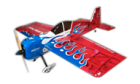
$180
20 months old with the nice sticks and non slip grips.
The date resets so then the data logging will not work. Everything else is fine.
It has the latest opentx.
srl

For sale six >Turnigy Graphene 3000mAh 4S 45C Lipo Pack w/XT90< $50.00 have not been used except to be storage charged still in original box each. Below is the products serial number and website.
Contact details. Hoswell @ tpg.com.au phone number 96363117
9067000139-0 A$72.51
https://hobbyking.com/en_us/graphene-300...-xt90.html
Hi guys. I’m trying to find out where to download Betaflight could somebody give me the link please.
Part of my moving sale.
$100 with 2 batteries.
Will be flying at Mccoy Wednesdays and Saturdays.
srl

On This Day 100 yrs ago in 1918 21st April, the Red Baron Baron Manfred Von Richthofen was shot down and eventually died from the gun shot wound by an Australian machine gunner with his Lewis machine gun.
It has been documented that 2 other Australians and a Canadian pilot claimed to have shot down The Red Baron.

Hey Guys,
The Australian Drone Racing Open is on this weekend out at Mowbray Park Farm in Picton. Informal and open flying activities start tomorrow and qualifying on Saturday. The real action happens between 11:00-15:30 on Sunday (including a freestyle acro comp).
The AO attracts promising pilots from across Australia. Many will be camping at or taking advantage of accommodation facilities at the host location. Dave Purebred has worked hard to make this year bigger and better than last. It should be a good weekend and great atmosphere.
Anyone interested in entering should click here and login in order to register.
A weekend of flying at Marulan probably one of the nicest private flying fields in NSW. The field is open for general flying and practice Friday 20 Saturday 21st and racing Sunday 22nd
Come along bring anything to fly. There will be rare bear and efx racing as well as other classes join in and check it out!!
Marulan is the home field of Sydney Uni’s pioneering UAV team. “The Australian centre for field robotics” These guys we’re flying large UAVs more than 20 years ago and carry on the fine tradition of Australian unmanned aviation. You never know what you might see them up to if you turn up early on Friday.
Once when I was there I saw a UAV flying powered with a hydrogen fuel cell. I believe it was the first such powered fixed wing in Australia. Amongst many other achievements ACFR were the first people in the world to achieve air to air docking of two fixed wing UAVs. I was fortunate enough to watch some of the testflying and development of these machines and even flew got to fly one in manual mode on one occasion.
Most impressively they are a great bunch of guys, like most aeromodelers, friendly humble and welcoming it will be a weekend to remember. If you can possibly make it do come along. There is accomodation available at the field for a very small fee.
Ask SRL what it’s like he’s been there many times.

Selling my eachine racer and racer 250. Though both used and seen some damage, both still fly fine.
The Eachine Racer is a beginner racing quad 250 size. It was my first and is 2-3S, you can even put a 2200 3s on it. Has cc3d board using Libre pilot. Has spares including a used frame which incorporates the PDB (Power distribution), though missing some caps, no biggie. I have refitted caps on the main and a torrid to get clean video.
Spares: frame, arms, CC3D FC (not sure it works), box of props, bits and pieces
The Eachine racer 250 pro is a different frame and takes 3s-4s... much more zippy, has an F3 board with cleanflight, uses the same arms and vtx as the normal 250. Needs aerial to be resoldered onto vtx, I can do it if you need, but recommend a pigtail be fitted
Spares: Includes two spare ESC's, same arms VTX and camera as above
Both quads are fitted with frsky receivers, XM I think? (no telemetry)
I have had a lot of fun with these and taught me about quads, these will suit a beginner wanting to ease into quad flying. Biggest issue I have had with these is the aerial breaking off the vtx, I just started soldering the aerial straight to the board... i would recommend the new owner to get a pigtail and connect aerial to the frame to stop this happening. Also the vtx on the std racer has lost its very simple OSD, not a big issue still works for FPV.
I am selling as I have moved onto self-built higher performance 210s, and these wont get flown much more now.
$100
These are no longer sold by bangood, but they still sell all the spare parts, here are some listings.
https://www.banggood.com/Eachine-Racer-2...42643.html
Standard 250 No longer listed on BG but lots of info on the net.
https://www.rcgroups.com/forums/showthre...-HD-Camera
Photos here - https://photos.app.goo.gl/BS9NSTi2zSlD9LVX2

All this for $150!!!
SMS or call me on 040*026*580*7
Benefit from my lack of spare time with these 2 450-size R/C helis in good condition. An absolute plethora of spare parts comes with them including a carry case for 1. The carry case on its own cost me about $65.
One is a genuine EFlite (Horizon Hobby) Blade 400 and the other is a HobbyKing Trex 450v2 alloy (clone of the Trex 450v2). The HK Trex clone has top quality metal geared servos including an INO-LAB tail servo which on its own cost about $35.
I was over-obsessed with having spares (like with my planes and multirotors), so there's an absolute plethora of spares for each heli including main gear, tail gear, booms, spare canopy, gyros, motor (for the HK), rotor heads, blades, frame parts - you name it, it's probably in there. Most are still in their packets as you can see from the photos.
Priced for quick sale, pickup only and I don't want to separate these. Buy all or none, thanks.
I take PayPal and cash. SMS or call me on 04*00 26*5 80*7 or PM me here.